E-commerce Event Tracking: The Complete Schema You Can Copy
 Sophie Andersson
·
·
8 min read
Sophie Andersson
·
·
8 min read

You’ve got traffic. You’ve got products. You’ve even got some sales. But when someone asks “where exactly are we losing customers?” — you’re guessing.
Here’s the thing: most e-commerce stores track two things well — pageviews and purchases. Everything in between? A black box. And that black box is where all the interesting stuff happens.
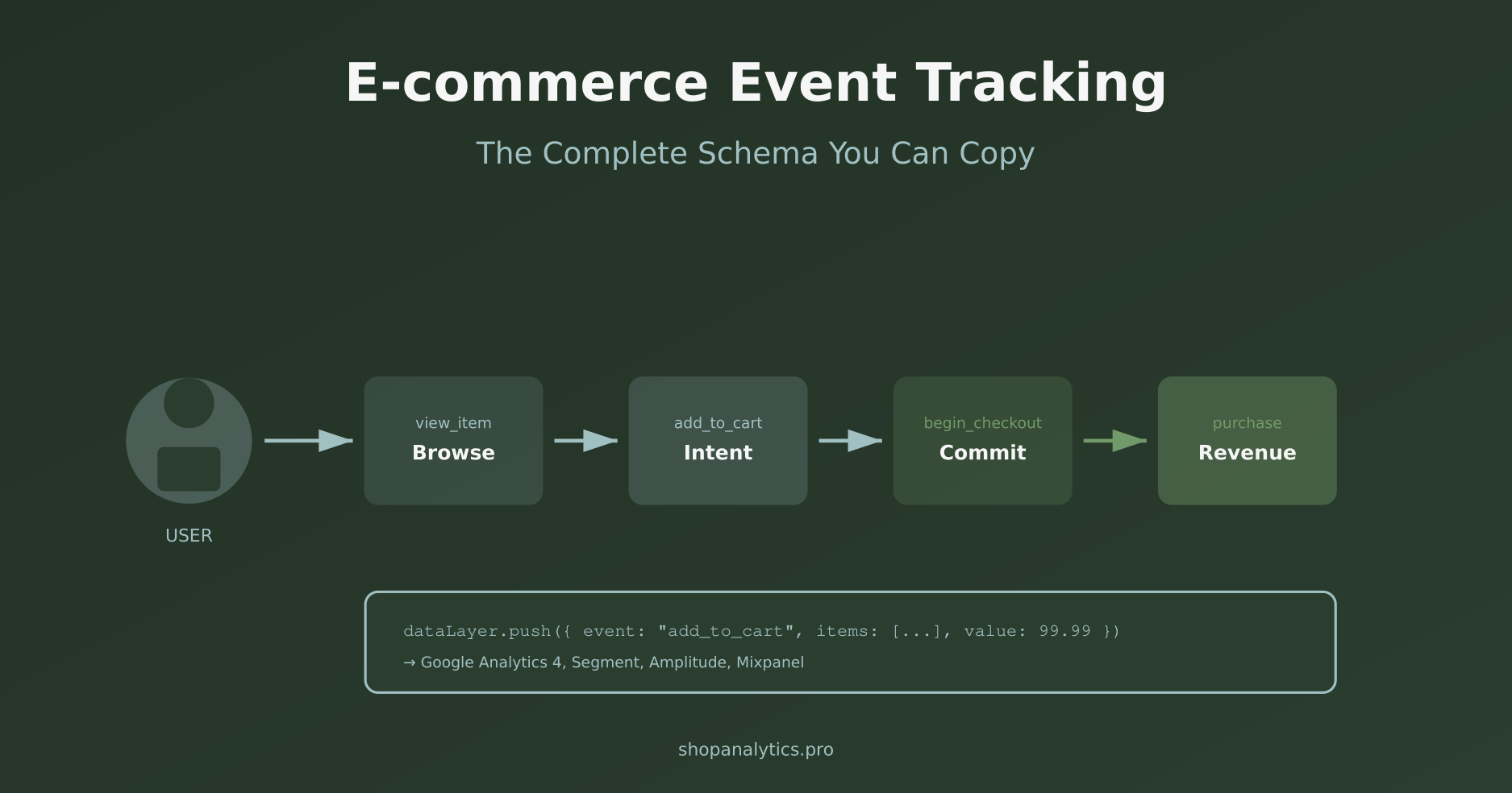
In this guide, I’ll give you a complete e-commerce event tracking schema you can actually copy and implement. No fluff, no “it depends” — just a clear list of events, parameters, and how they connect to your customer journey.
Whether you’re using Google Analytics 4, Amplitude, Mixpanel, or Segment — the core events are the same. Let’s build your tracking foundation.
Why Event Tracking Matters for E-commerce
Let me be direct: if you can’t see what happens between “user lands on site” and “user buys something,” you’re flying blind.
Good event tracking for e-commerce lets you answer questions like:
- Where do people drop off in the funnel?
- Which products get viewed a lot but rarely added to cart?
- How many people start checkout but never finish?
- What’s the path from first visit to purchase?
- Which traffic sources bring buyers, not just browsers?
Without proper event tracking, you’re stuck with vanity metrics. With it, you can make actual decisions. For a deeper understanding of how these events connect to business outcomes, the Google Analytics 4 e-commerce documentation is worth bookmarking.
The 10 Core E-commerce Tracking Events You Need
I’ve seen stores with 50+ events. Guess how many they actually use in reports? Maybe 8. The rest is noise.
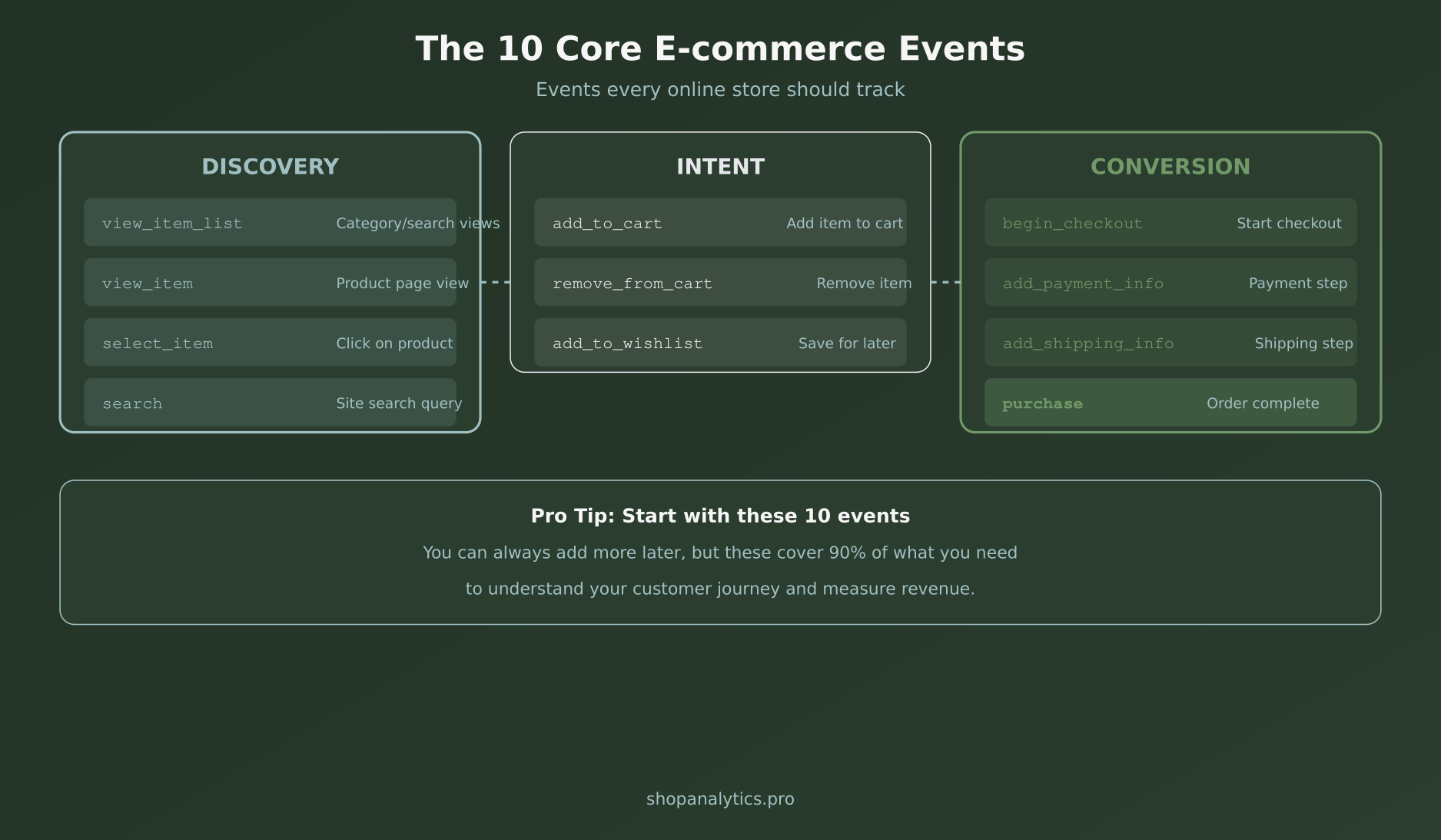
Start with these 10. They cover the entire customer journey from discovery to purchase. You can always add more later — but these are non-negotiable.
Discovery Events
These events track how users explore your store:
view_item_list— User views a category page, search results, or product list. Tells you which collections get attention. (Not sure which pages qualify as category vs. product? Our landing page classifier can sort that out.)view_item— User views a product detail page. This is where consideration begins.select_item— User clicks on a product from a list. Shows which products catch the eye.search— User performs a site search. Gold mine for understanding demand.
Intent Events
These events signal that someone is moving from browsing to buying:
add_to_cart— User adds a product to cart. The first real buying signal.remove_from_cart— User removes a product. Helps identify friction or second thoughts.add_to_wishlist— User saves for later. Intent without urgency.
Conversion Events
These track the checkout process and purchase:
begin_checkout— User starts the checkout flow. They’re committed enough to enter details.add_shipping_info— User enters shipping details. One step closer.add_payment_info— User enters payment details. Almost there.purchase— Order completed. Revenue recorded. This is the macro-conversion.
That’s it. Ten events. If you implement just these with proper parameters, you’ll have more insight than 90% of online stores.
Event Parameters: What Data to Send
Events without parameters are like sentences without nouns. “Something happened” isn’t useful. “User added Blue T-Shirt (SKU-12345, $29.99) to cart” — that’s useful.
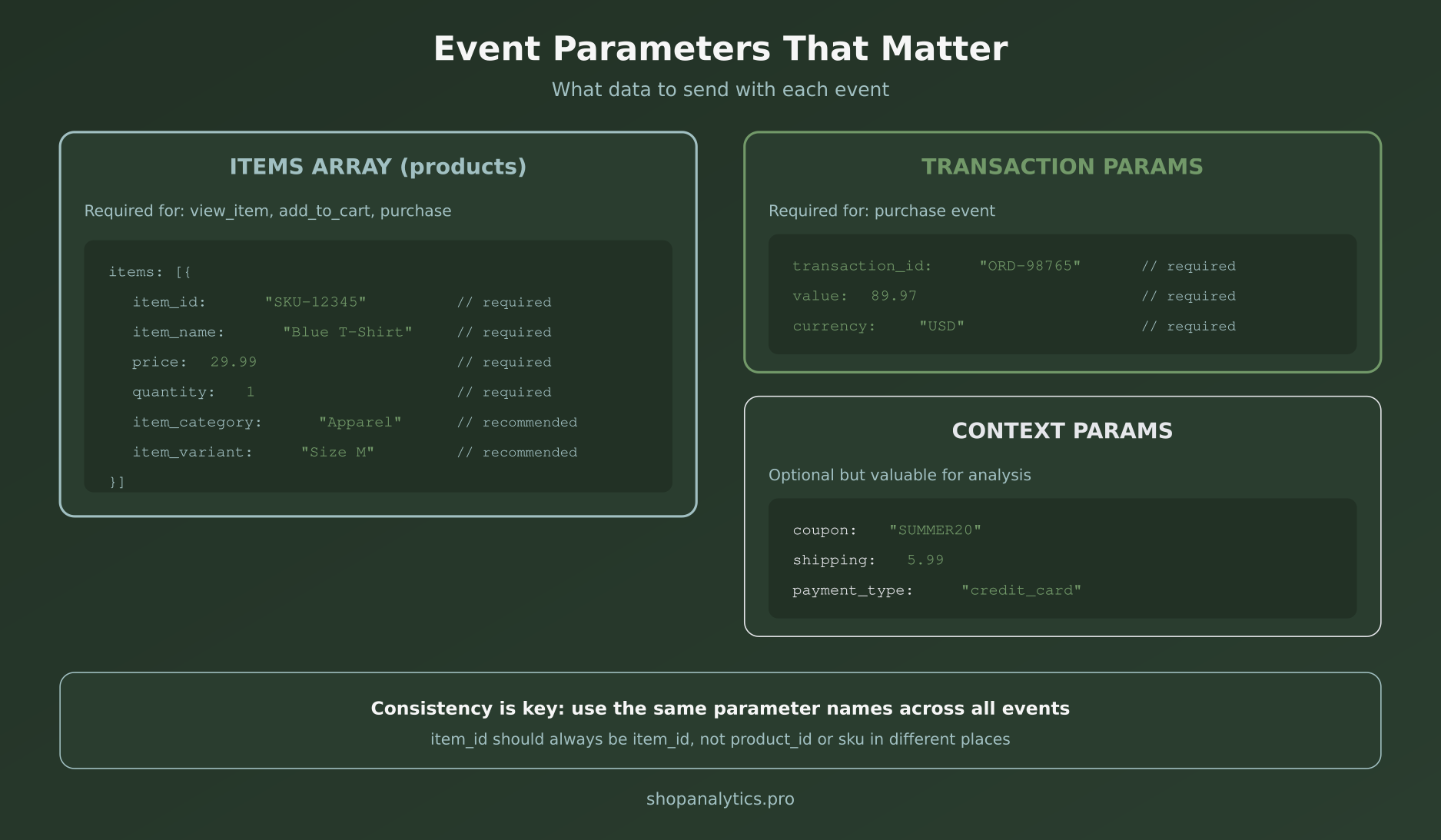
Here’s the parameter structure you should follow. This aligns with the GA4 e-commerce schema, but works with any analytics tool.
The Items Array
Most e-commerce events need product details. These go in an items array:
items: [{
  item_id: "SKU-12345",      // Required: unique product ID
  item_name: "Blue T-Shirt", // Required: product name
  price: 29.99,              // Required: unit price
  quantity: 1,               // Required: number of items
  item_category: "Apparel",  // Recommended: primary category
  item_category2: "T-Shirts",// Optional: subcategory
  item_variant: "Size M",    // Recommended: variant info
  item_brand: "Your Brand"   // Recommended: brand name
}]
Use this structure for view_item, add_to_cart, remove_from_cart, begin_checkout, and purchase.
Transaction Parameters
For the purchase event, you need transaction-level data:
transaction_id: "ORD-98765",  // Required: unique order ID
value: 89.97,                  // Required: total order value
currency: "USD",               // Required: currency code
tax: 7.20,                     // Recommended: tax amount
shipping: 5.99,                // Recommended: shipping cost
coupon: "SUMMER20"             // Optional: coupon used
Context Parameters
These optional parameters add valuable context for analysis:
coupon— Discount code applied (useful for measuring promo effectiveness)payment_type— Credit card, PayPal, BNPL, etc.shipping_tier— Standard, express, free shippingitem_list_name— Where the product was shown (homepage, category, search results)
The Complete Event Schema You Can Copy
Here’s a complete ecommerce tracking events schema in dataLayer format. Copy this, adapt it to your site, and you’re done.
View Item (Product Page)
dataLayer.push({
  event: "view_item",
  ecommerce: {
    currency: "USD",
    value: 29.99,
    items: [{
      item_id: "SKU-12345",
      item_name: "Blue T-Shirt",
      price: 29.99,
      item_category: "Apparel",
      item_variant: "Size M",
      item_brand: "Your Brand"
    }]
  }
});
Add to Cart
dataLayer.push({
  event: "add_to_cart",
  ecommerce: {
    currency: "USD",
    value: 29.99,
    items: [{
      item_id: "SKU-12345",
      item_name: "Blue T-Shirt",
      price: 29.99,
      quantity: 1,
      item_category: "Apparel",
      item_variant: "Size M"
    }]
  }
});
Begin Checkout
dataLayer.push({
  event: "begin_checkout",
  ecommerce: {
    currency: "USD",
    value: 89.97,
    coupon: "SUMMER20",
    items: [
      { item_id: "SKU-12345", item_name: "Blue T-Shirt", price: 29.99, quantity: 2 },
      { item_id: "SKU-67890", item_name: "Black Jeans", price: 29.99, quantity: 1 }
    ]
  }
});
Purchase
dataLayer.push({
  event: "purchase",
  ecommerce: {
    transaction_id: "ORD-98765",
    value: 95.96,
    tax: 7.20,
    shipping: 5.99,
    currency: "USD",
    coupon: "SUMMER20",
    items: [
      { item_id: "SKU-12345", item_name: "Blue T-Shirt", price: 29.99, quantity: 2 },
      { item_id: "SKU-67890", item_name: "Black Jeans", price: 29.99, quantity: 1 }
    ]
  }
});
For platform-specific implementation guides, check Simo Ahava’s GTM resources — they’re excellent for technical setup.
5 Event Tracking Mistakes to Avoid
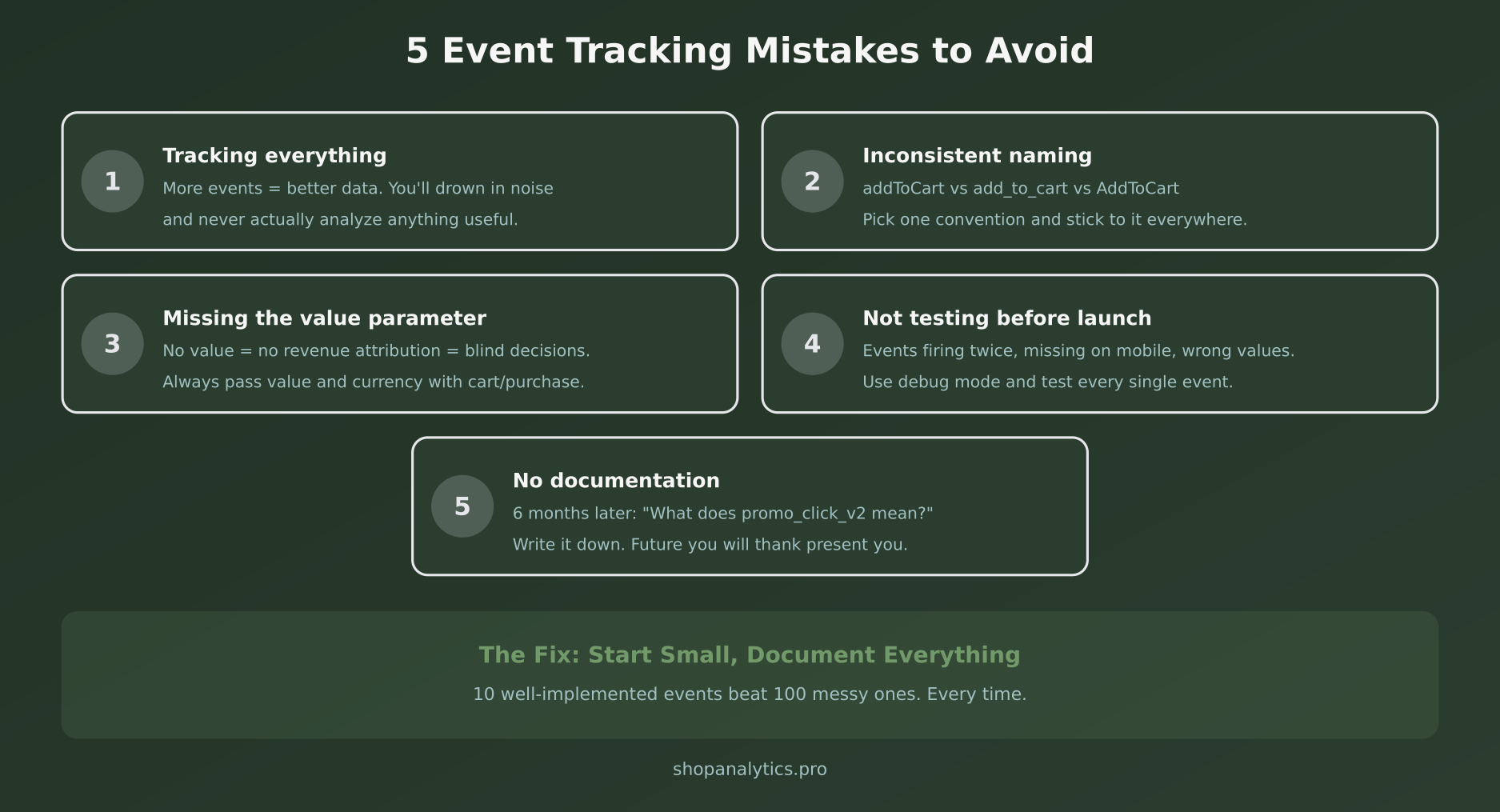
In my experience working with e-commerce teams, these are the mistakes I see over and over:
Mistake 1: Tracking Everything
More events don’t mean better analytics. They mean more noise, slower page loads, and reports nobody looks at. Start with the 10 core events. Add more only when you have a specific question to answer.
Mistake 2: Inconsistent Naming
addToCart, add_to_cart, AddToCart, cart_add — I’ve seen all of these in the same codebase. Pick a convention (I recommend snake_case) and enforce it everywhere.
Mistake 3: Missing the Value Parameter
If you don’t pass value and currency with cart and purchase events, you can’t do revenue attribution. And without revenue attribution, your analytics is just traffic counting.
Mistake 4: Not Testing Before Launch
Events firing twice. Events not firing on mobile. Wrong values passed. I’ve seen it all. Use GTM preview mode and GA4 DebugView. Test every event on desktop and mobile before going live.
Mistake 5: No Documentation
Six months from now, someone will ask “what does promo_click_v2 mean?” If you don’t have documentation, nobody will know. Write down every event, when it fires, and what parameters it includes.
Implementation Checklist
Use this checklist to implement your e-commerce event tracking properly:
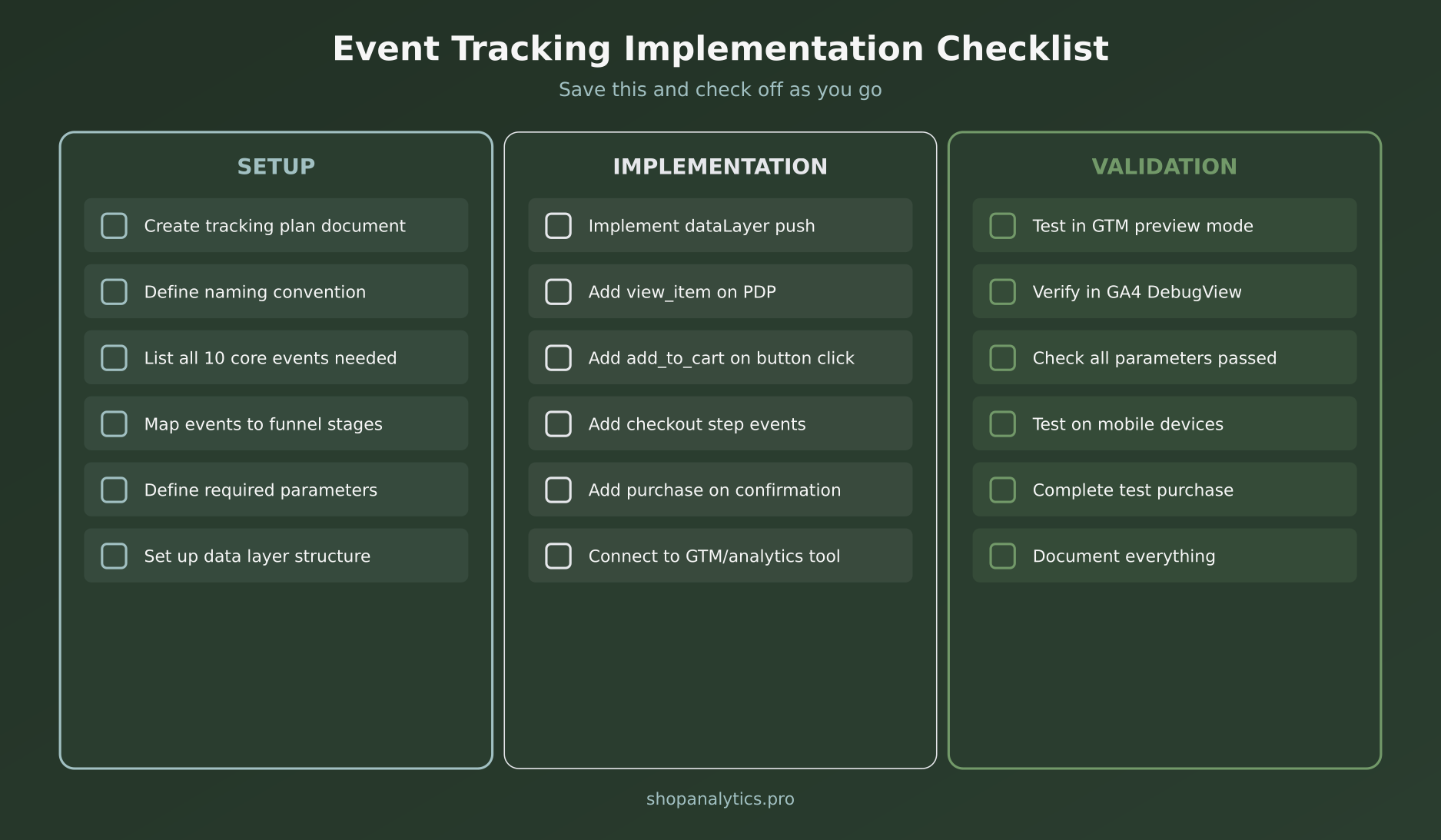
Setup Phase
- Create a tracking plan document
- Define your naming convention (snake_case recommended)
- List all 10 core events you’ll implement
- Map events to your funnel stages
- Define required parameters for each event
- Set up your dataLayer structure
Implementation Phase
- Implement dataLayer.push for each event
- Add
view_itemon product detail pages - Add
add_to_carton button click - Add checkout step events (begin, shipping, payment)
- Add
purchaseon order confirmation page - Connect to GTM and your analytics tool
Validation Phase
- Test in GTM preview mode
- Verify events in GA4 DebugView
- Check all parameters are passed correctly
- Test on mobile devices
- Complete a test purchase end-to-end
- Document everything in your tracking plan
Frequently Asked Questions
Do I need to track all 10 events from day one?
Ideally, yes. But if you’re short on dev time, prioritize these four: view_item, add_to_cart, begin_checkout, and purchase. These alone will show you where you’re losing customers.
Should I use GA4’s enhanced e-commerce or custom events?
Use the standard e-commerce event names (the ones I listed above). They work with GA4’s built-in e-commerce reports, and you’ll thank yourself later when you need to compare data or use pre-built dashboards.
What about server-side tracking?
Server-side tracking is becoming essential, especially for the purchase event. Ad blockers and browser restrictions can block client-side events. For accurate revenue data, consider sending purchase events from your server as well.
How do I handle single-page applications (SPAs)?
SPAs need extra attention because page loads don’t trigger automatically. Make sure you fire view_item and view_item_list events when the virtual “page” changes, not just on initial load.
Key Takeaways
Let me wrap this up with what matters:
- Start with 10 core events — view_item_list, view_item, select_item, search, add_to_cart, remove_from_cart, add_to_wishlist, begin_checkout, add_payment_info, add_shipping_info, and purchase.
- Use consistent naming — snake_case, same parameter names everywhere.
- Always include value and currency — without these, you can’t measure revenue impact.
- Test thoroughly — GTM preview, GA4 DebugView, mobile testing, test purchases.
- Document everything — future you will be grateful.
Good event tracking isn’t about collecting more data. It’s about collecting the right data so you can make better decisions. The schema above will give you exactly that.
Now go implement it. And if you want to understand what to do with all this data once you have it, check out our guide on micro-conversions in e-commerce — it’ll show you how to turn these events into actionable insights.

Sophie Andersson
Technical marketer with 7+ years in e-commerce growth teams. Started as a developer, moved into marketing, and now lives at the intersection of both worlds. Believes that good analytics shouldn't require a PhD to understand.
More about me →