Cart Abandonment: 12 Reasons Customers Leave and How to Fix Each One
 Sophie Andersson
·
·
8 min read
Sophie Andersson
·
·
8 min read

You have done the hard work. You drove traffic to your store, convinced visitors to browse, and they even added products to their cart. Then they just… left. No purchase. No explanation. Just an abandoned cart sitting in your database.
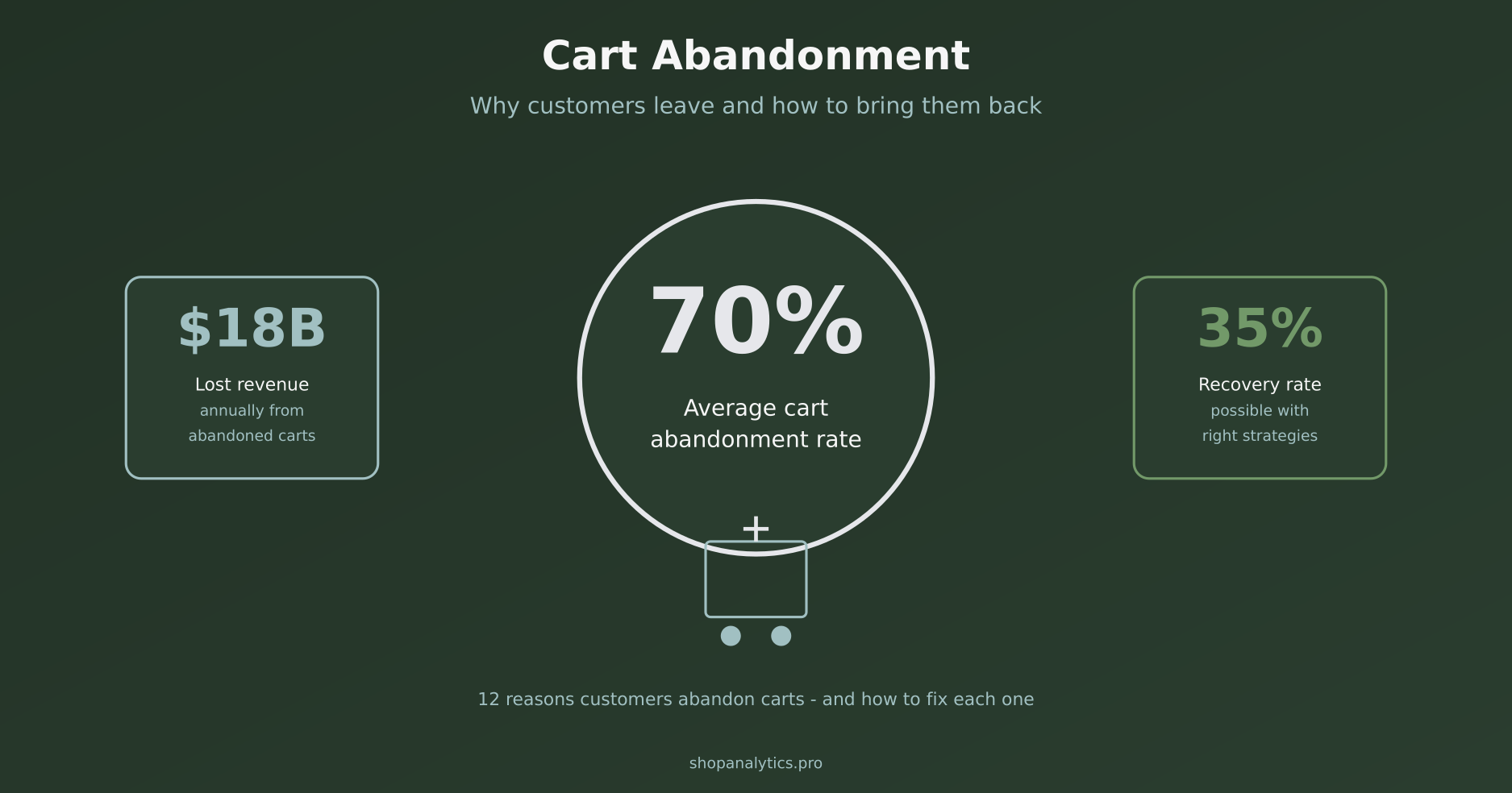
Here is the thing: this happens to everyone. The average cart abandonment rate hovers around 70%. That means for every 10 people who add something to their cart, only 3 actually complete the purchase. The other 7? Gone.
But here is where it gets interesting. Unlike visitors who bounce immediately, these people showed real intent. They were close to buying. That makes them incredibly valuable – and recoverable. In this guide, I will walk you through the 12 most common reasons customers abandon carts and exactly how to fix each one.
Why Cart Abandonment Matters More Than You Think
Let me put this in perspective. If you are running a store with $100,000 in monthly revenue, a 70% abandonment rate means you are potentially leaving $233,000 on the table every month. Even recovering 10% of those abandoned carts would add $23,000 to your bottom line.
The math is simple but powerful. These are not cold leads. These are people who:
- Found your store
- Browsed your products
- Made a decision to buy something
- Added it to their cart
Something stopped them at the final step. And in most cases, that something is fixable. Understanding cart abandonment is a key part of e-commerce analytics fundamentals – tracking where customers drop off tells you exactly where to focus your optimization efforts.
The 12 Reasons Customers Abandon Carts
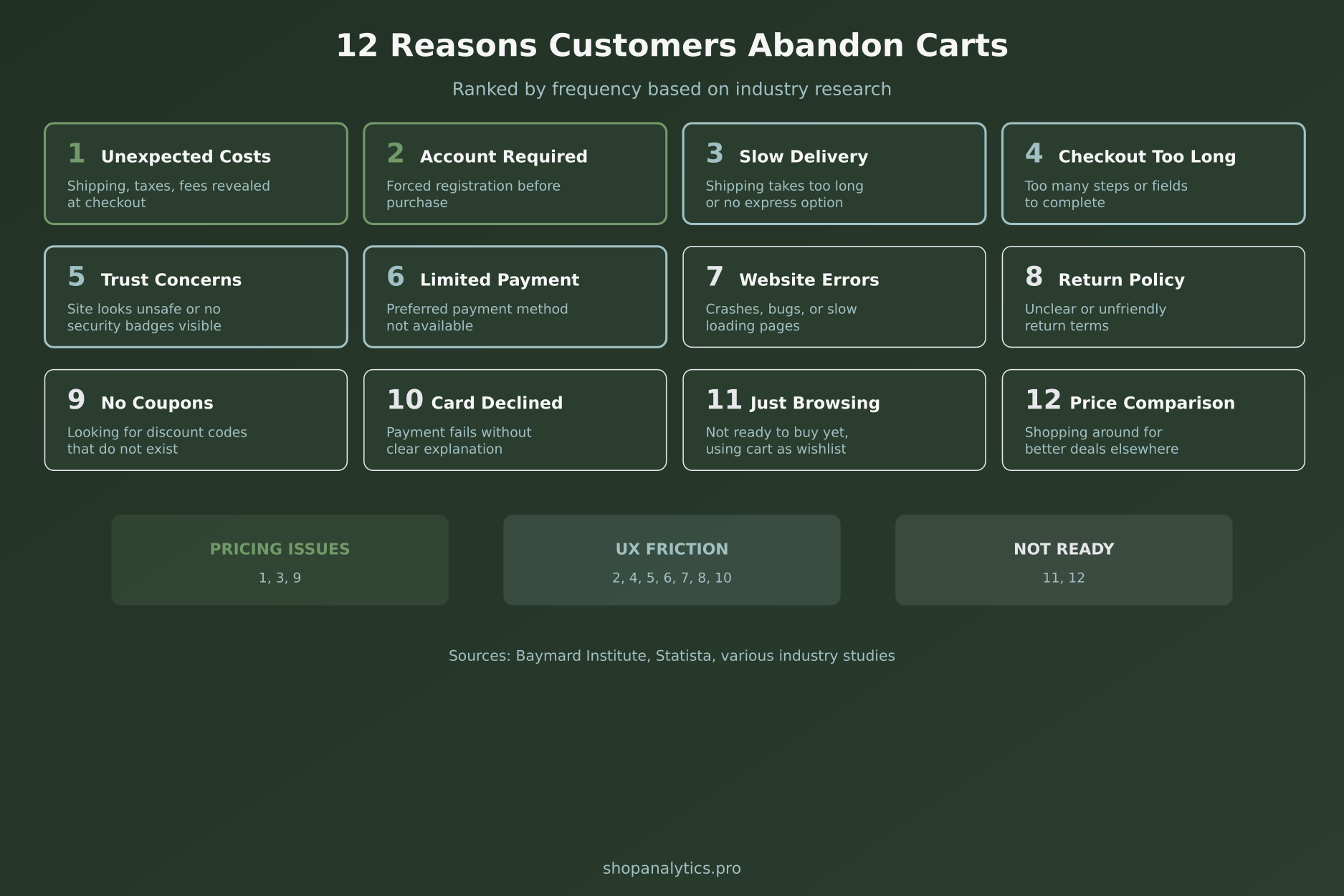
Based on research from Baymard Institute and my own experience working with e-commerce stores, these are the main culprits behind cart abandonment. I have grouped them into three categories: pricing issues, UX friction, and timing problems.
1. Unexpected Costs at Checkout
This is the number one reason for cart abandonment, accounting for nearly half of all abandoned carts. Customers add products expecting one price, then get hit with shipping fees, taxes, and handling charges at checkout.
How to fix it:
- Show shipping costs on product pages, not just at checkout
- Display tax estimates based on detected location
- Offer free shipping above a certain threshold
- Include all fees in the product price if possible
2. Required Account Creation
Nobody wants to create another account just to buy a pair of socks. Forcing registration creates friction at the worst possible moment – right when customers are ready to pay.
How to fix it:
- Enable guest checkout as the default option
- Offer social login (Google, Apple, Facebook)
- Ask for account creation after purchase, not before
- Make the benefits of creating an account clear
3. Slow Delivery Options
In the age of Amazon Prime, waiting 7-10 days for delivery feels like an eternity. If customers need something soon and you cannot deliver quickly, they will find someone who can.
How to fix it:
- Offer express shipping options, even at a premium
- Show estimated delivery dates, not just shipping times
- Provide local pickup if you have physical locations
- Partner with faster shipping carriers
4. Checkout Process Too Long
Every extra step in checkout is another opportunity for customers to change their minds. Multi-page checkouts with 20 form fields are conversion killers.
How to fix it:
- Implement single-page checkout if possible
- Remove any non-essential form fields
- Use auto-fill for addresses and payment info
- Show progress indicators so customers know how close they are
5. Trust and Security Concerns
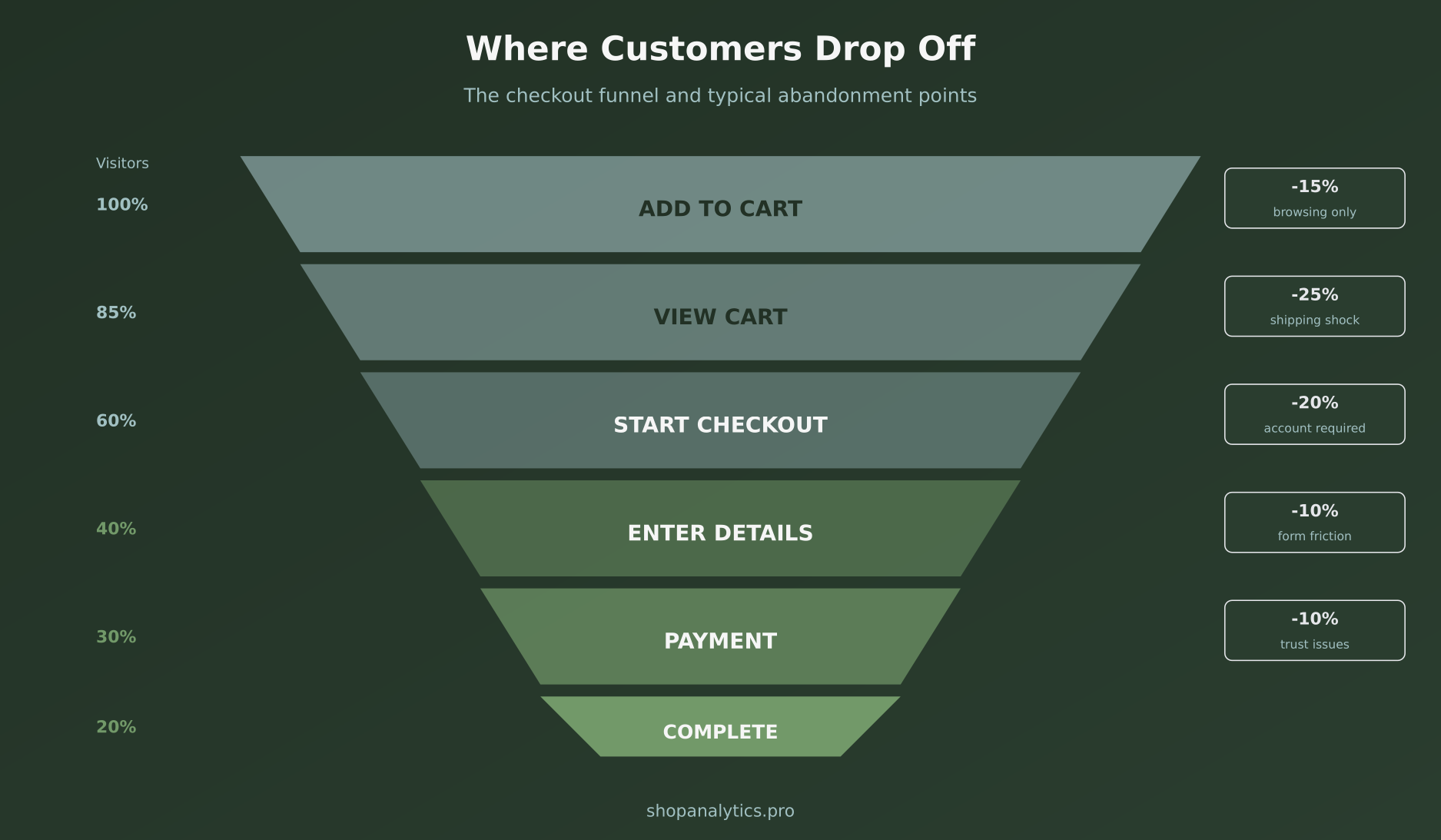
Would you enter your credit card on a sketchy-looking website? Neither would your customers. Trust signals matter, especially for first-time buyers who do not know your brand.
How to fix it:
- Display security badges prominently (SSL, payment provider logos)
- Show customer reviews and ratings
- Include a clear return policy
- Use professional design and fix any broken elements
6. Limited Payment Options
If customers cannot pay the way they want, they will not pay at all. This is especially true for international customers who may prefer local payment methods.
How to fix it:
- Add PayPal, Apple Pay, and Google Pay
- Offer buy now, pay later options (Klarna, Afterpay)
- Include local payment methods for key markets
- Accept multiple currencies if you sell internationally
7. Website Errors and Crashes
Nothing kills a purchase faster than a page that will not load or a button that does not work. Technical issues during checkout are deal-breakers.
How to fix it:
- Monitor your checkout flow with real-time analytics
- Test the complete purchase process weekly
- Optimize for mobile (over 60% of traffic is mobile)
- Set up alerts for error spikes
Proper event tracking can help you identify exactly where technical issues occur in your checkout flow.
8. Unclear Return Policy
Customers worry about being stuck with products they cannot return. If your return policy is hidden, complicated, or unfriendly, they will hesitate to buy.
How to fix it:
- Make your return policy easy to find
- Use simple, clear language
- Offer free returns if your margins allow
- Show the policy on product pages, not just in the footer
9. Looking for Coupon Codes
When customers see a coupon code field at checkout, many will leave to search for one. If they cannot find a code, some never come back.
How to fix it:
- Hide the coupon field behind a link or make it less prominent
- If you use codes, make them easy to find on your site
- Consider automatic discounts instead of codes
- Offer a small discount in your exit-intent popup
10. Card Declined Without Clear Explanation
Payment failures happen. But if customers do not understand why their card was declined or what to do next, they will give up.
How to fix it:
- Provide clear error messages
- Suggest trying a different payment method
- Offer to save the cart for later
- Make it easy to contact support
11. Just Browsing / Using Cart as Wishlist
Some customers add items to cart with no intention of buying right now. They are comparison shopping, saving items for later, or just curious about the total.
How to fix it:
- Offer a separate wishlist or save-for-later feature
- Send abandoned cart emails to bring them back
- Show them related products they might prefer
- Use retargeting ads to stay top of mind
12. Price Comparison Shopping
Customers add products to compare prices across multiple stores. If you are not the cheapest, they buy elsewhere.
How to fix it:
- Highlight your unique value (better service, faster shipping)
- Offer price matching if feasible
- Create urgency with limited-time offers
- Bundle products to make direct comparison harder
Cart Abandonment Recovery Tactics
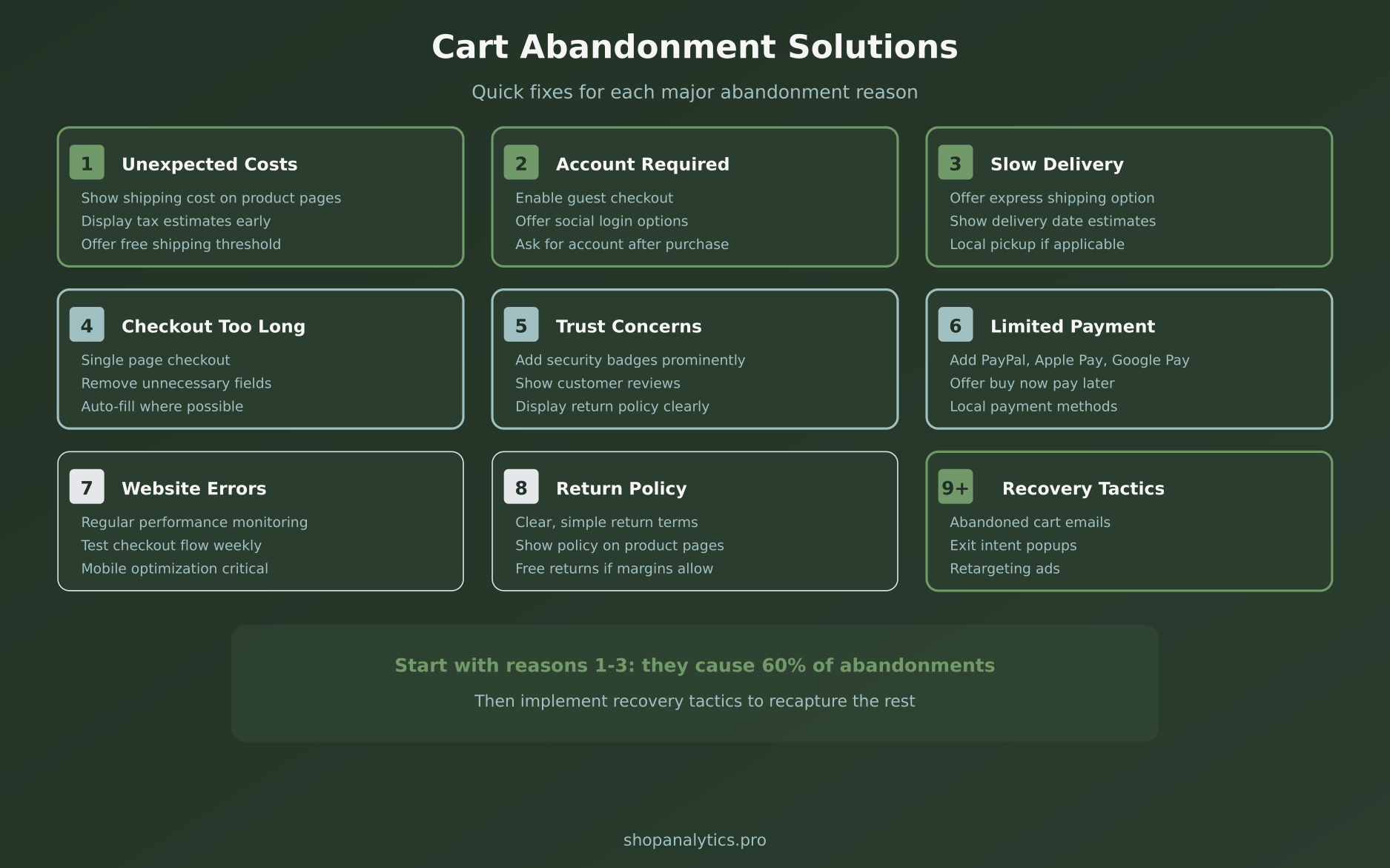
Prevention is better than cure, but you will never eliminate abandonment completely. Here is how to recover some of those lost sales.
Abandoned Cart Email Sequence
Email remains the most effective cart recovery channel. A well-timed sequence can recover 5-15% of abandoned carts.
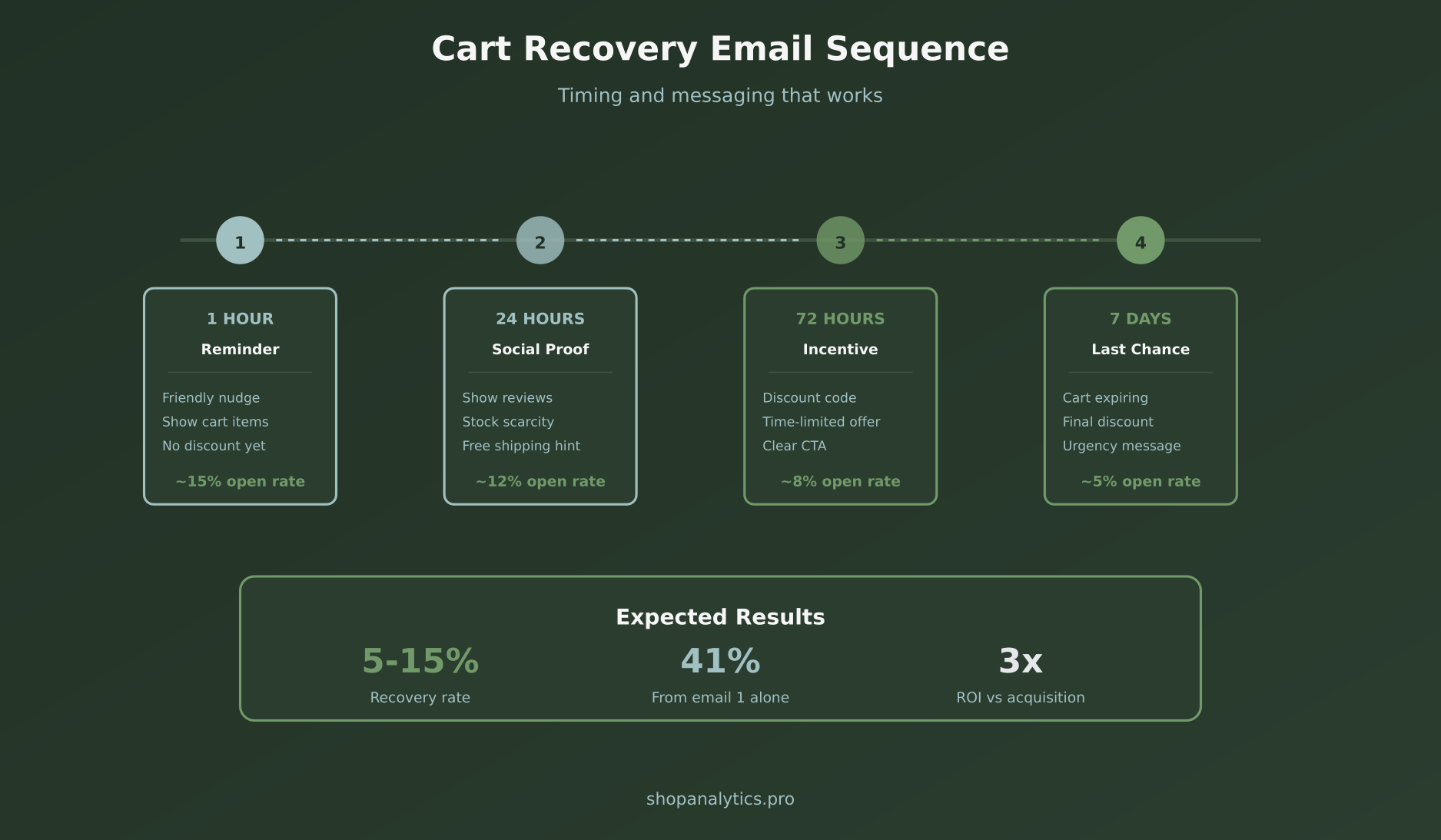
The four-email sequence:
- 1 hour after abandonment: Friendly reminder with cart contents. No discount yet.
- 24 hours: Social proof and urgency. Mention low stock or popular items.
- 72 hours: Offer a small incentive (5-10% off or free shipping).
- 7 days: Final reminder with your best offer. Create urgency with expiration.
Exit-Intent Popups
These detect when someone is about to leave and show a last-ditch offer. Used correctly, they can reduce abandonment by 10-15%.
Best practices:
- Only show to cart abandoners, not all visitors
- Offer something valuable (discount, free shipping)
- Make it easy to dismiss
- Test different offers and timing
Retargeting Ads
Follow abandoners around the web with ads showing the products they left behind. Dynamic retargeting can be highly effective, especially for higher-priced items with longer consideration cycles.
How to Measure Cart Abandonment
You cannot improve what you do not measure. Here is how to track cart abandonment effectively.
Key metrics to track:
- Cart abandonment rate: (Carts created – Orders) / Carts created × 100
- Checkout abandonment rate: Same formula but starting from checkout initiation
- Recovery rate: Recovered carts / Abandoned carts × 100
- Revenue recovered: Total revenue from recovery efforts
Track these as micro-conversions – they give you early signals about where customers are struggling before they abandon completely.
Prioritizing Your Cart Abandonment Fixes
You cannot fix everything at once. Here is how to prioritize:
- Start with unexpected costs: This causes the most abandonment and is relatively easy to fix.
- Enable guest checkout: Quick win with immediate impact.
- Set up abandoned cart emails: Recovers sales from all causes.
- Fix technical issues: Test your checkout and fix any bugs.
- Add payment options: Especially PayPal and buy-now-pay-later.
Focus on the top three items first. They address the majority of preventable abandonment and can be implemented relatively quickly.
Key Takeaways
Cart abandonment is inevitable, but much of it is preventable. Here is what to remember:
- Unexpected costs cause nearly half of all cart abandonments – show total costs early
- Forced account creation is a major friction point – enable guest checkout
- A four-email recovery sequence can recapture 5-15% of abandoned carts
- Mobile optimization is critical – most shopping happens on phones
- Track abandonment at each funnel stage to identify specific problems
- Start with the biggest issues first: costs, guest checkout, and recovery emails
The customers who abandon carts are not lost forever. They showed intent to buy – they just need the right nudge to come back. Fix the friction, set up recovery tactics, and watch your conversion rate climb.

Sophie Andersson
Technical marketer with 7+ years in e-commerce growth teams. Started as a developer, moved into marketing, and now lives at the intersection of both worlds. Believes that good analytics shouldn't require a PhD to understand.
More about me →